> For the complete documentation index, see [llms.txt](https://www.osdcloud.com/llms.txt). Markdown versions of documentation pages are available by appending `.md` to page URLs; this page is available as [Markdown](https://www.osdcloud.com/osdcloud-guides/deploy-osdcloud-overview.md).
# Deploy-OSDCloud Overview
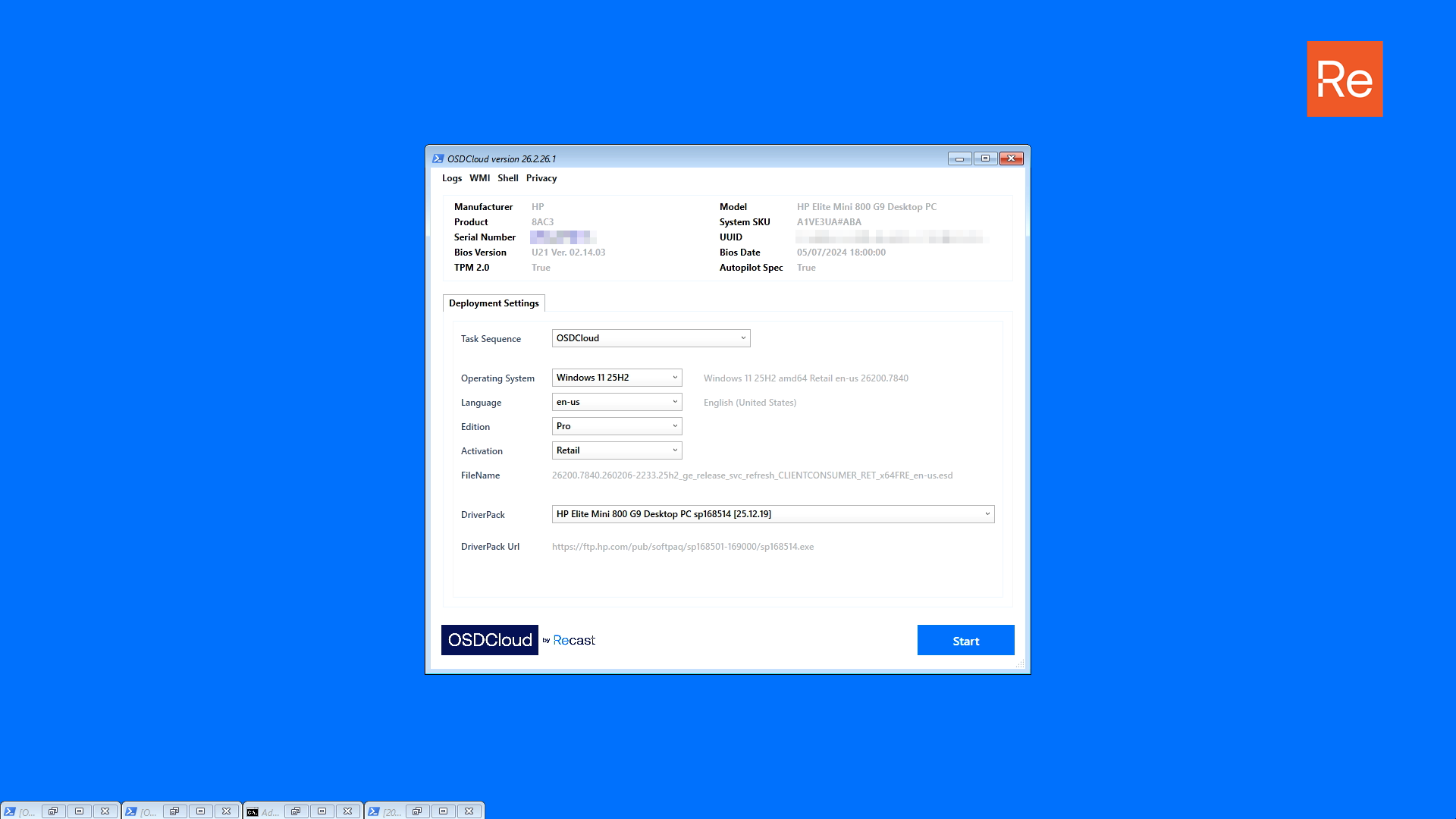
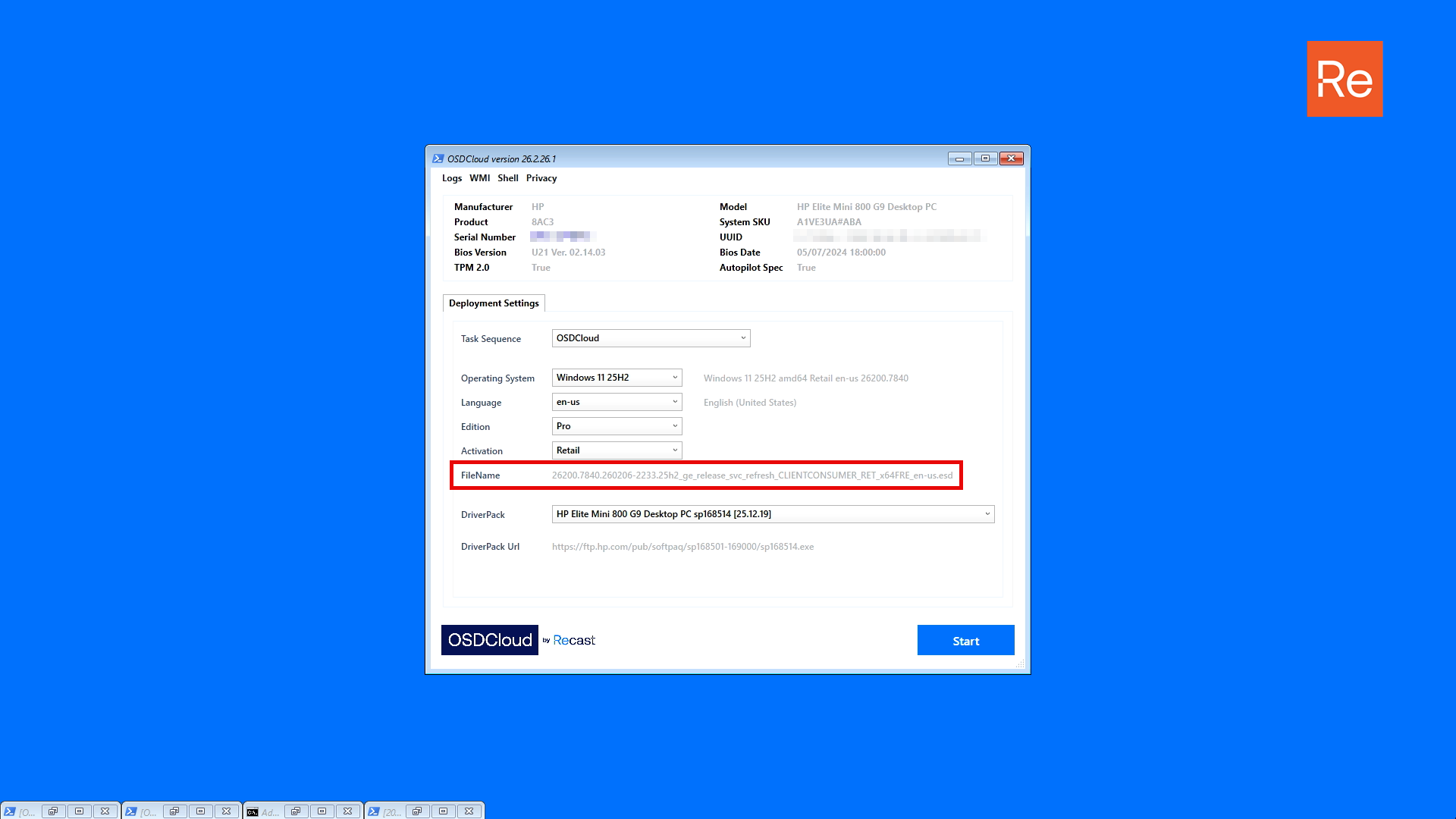
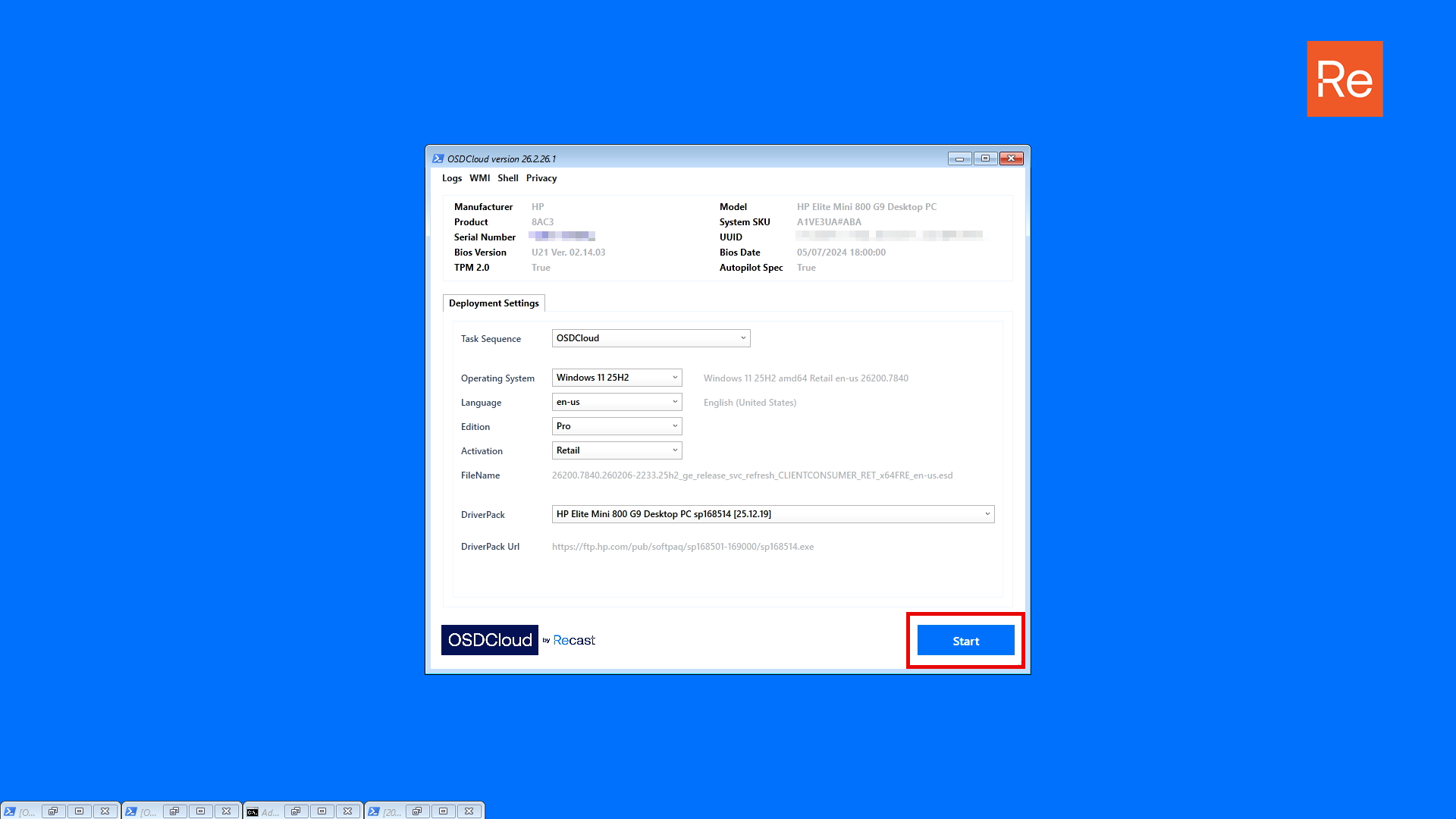
After launching Deploy-OSDCloud, a GUI frontend will be displayed with a top menu, device information, and Deployment Settings
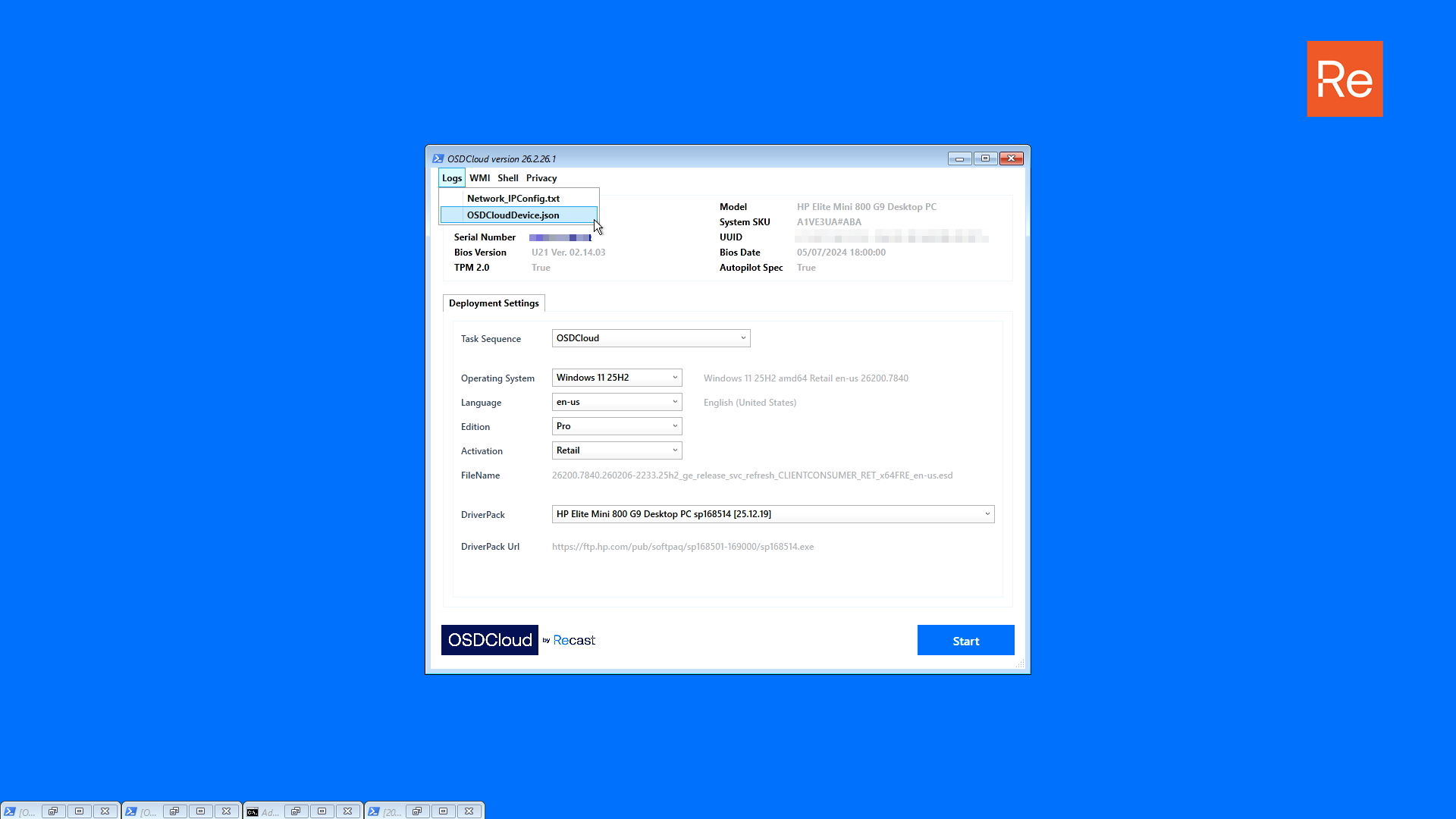
## Logs (menu)
Logs that are generated prior to the launch of the frontend are added dynamically to Logs menu. Items selected from this menu will open in Notepad.
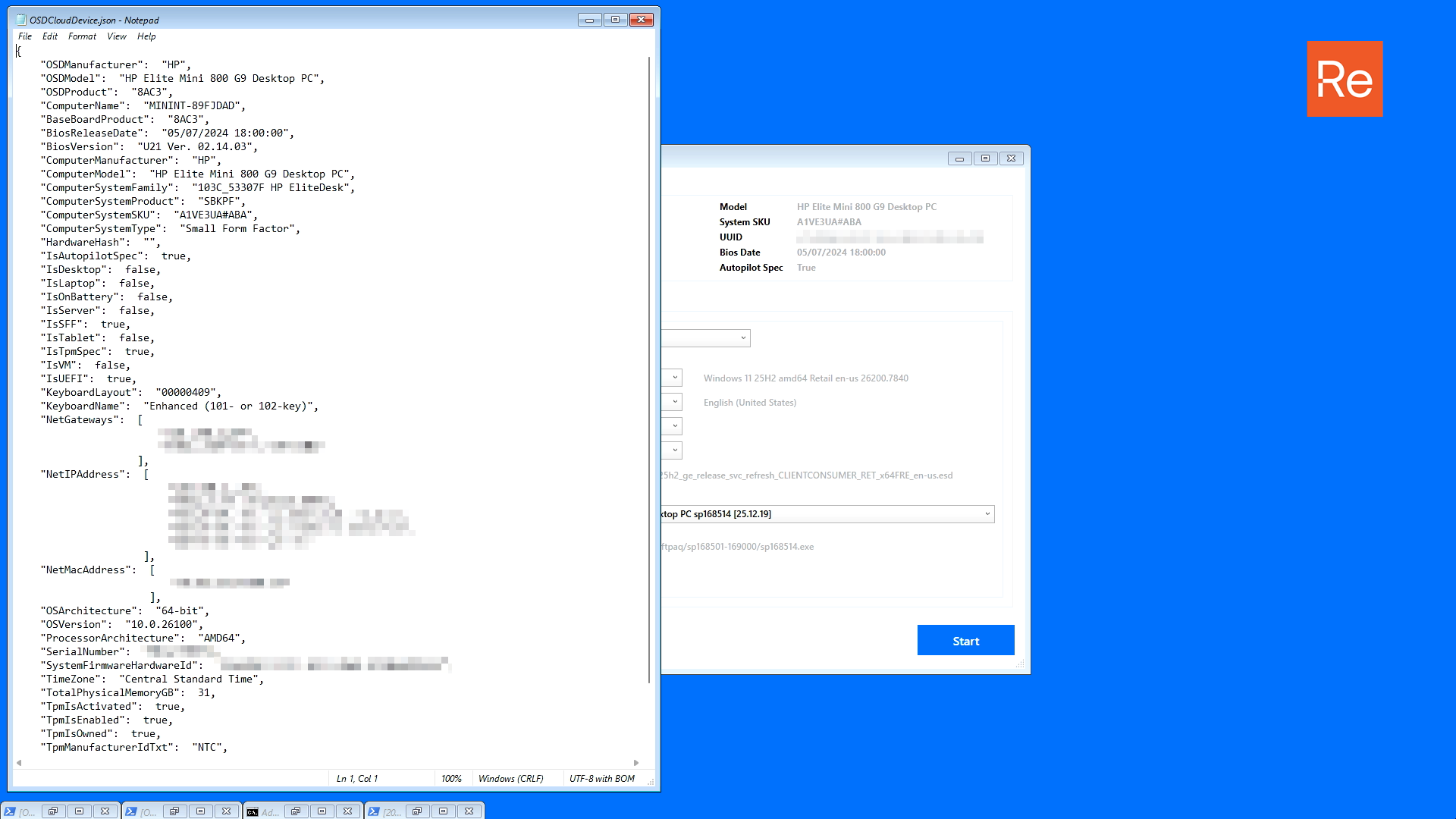
### OSDCloudDevice.json
Contains information about the device, and is used for the OSDCloud deployment. This log is information only. Editing this file will have no impact on OSDCloud.
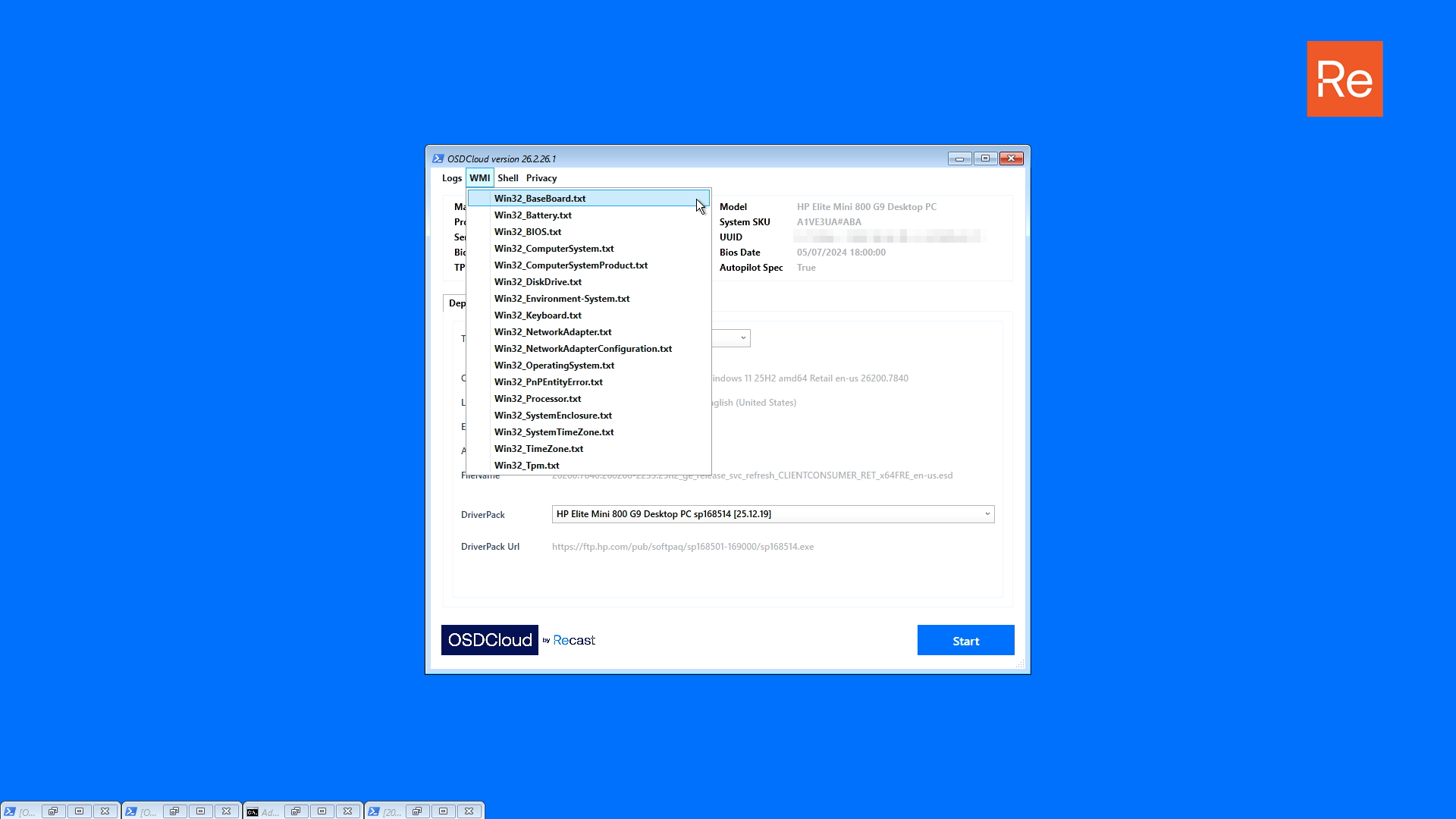
## WMI (menu)
This menu contains exports of WMI classes that were used in getting device information. This menu is dynamically created. Items selected from this menu will open in Notepad.
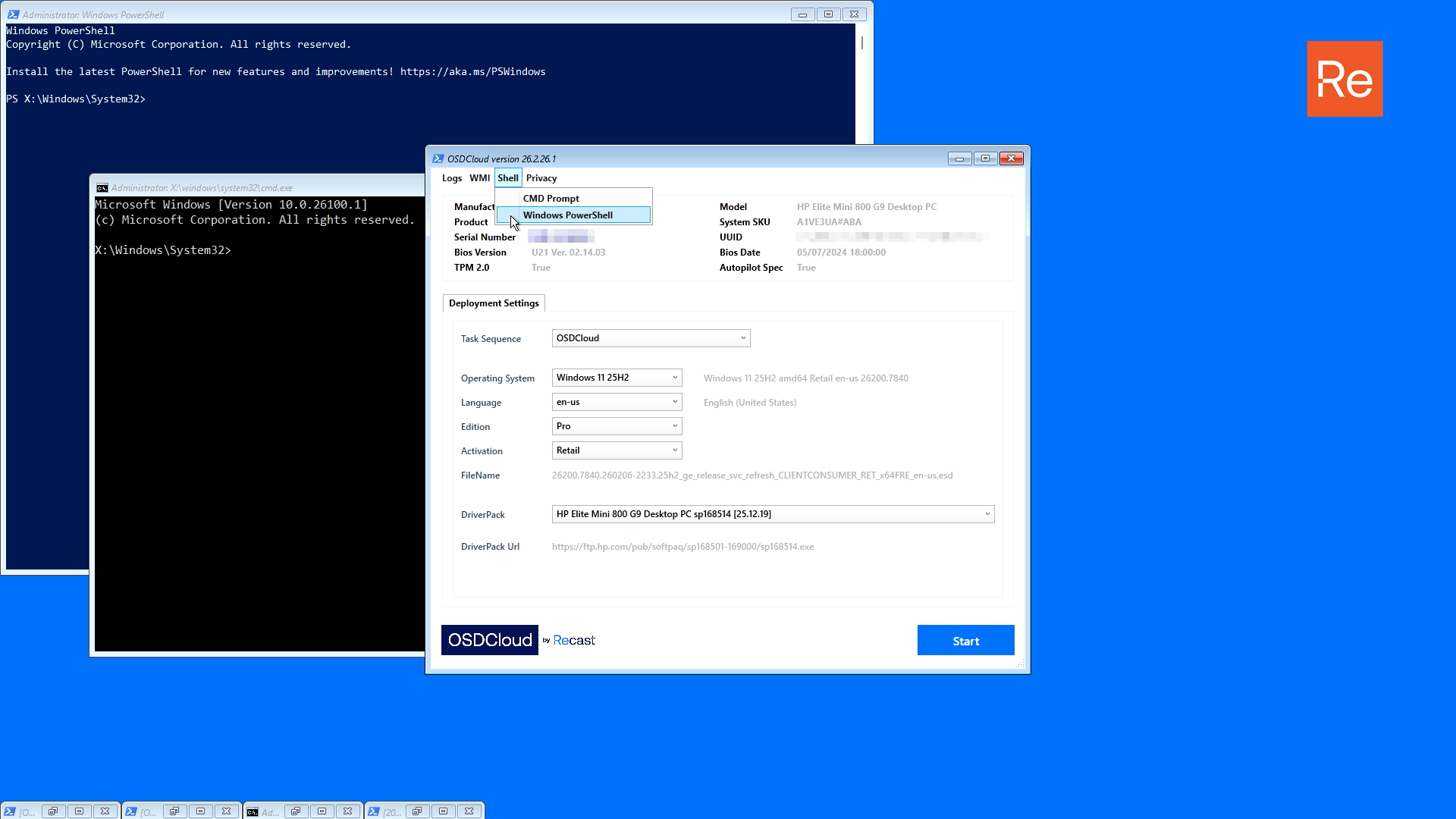
## Shell (menu)
This menu contains shortcuts to `Command Prompt` and `Windows PowerShell` and are used to launch a new session if needed. If you have `PowerShell 7` added to your boot image, a shortcut to `pwsh` will be added to this menu.
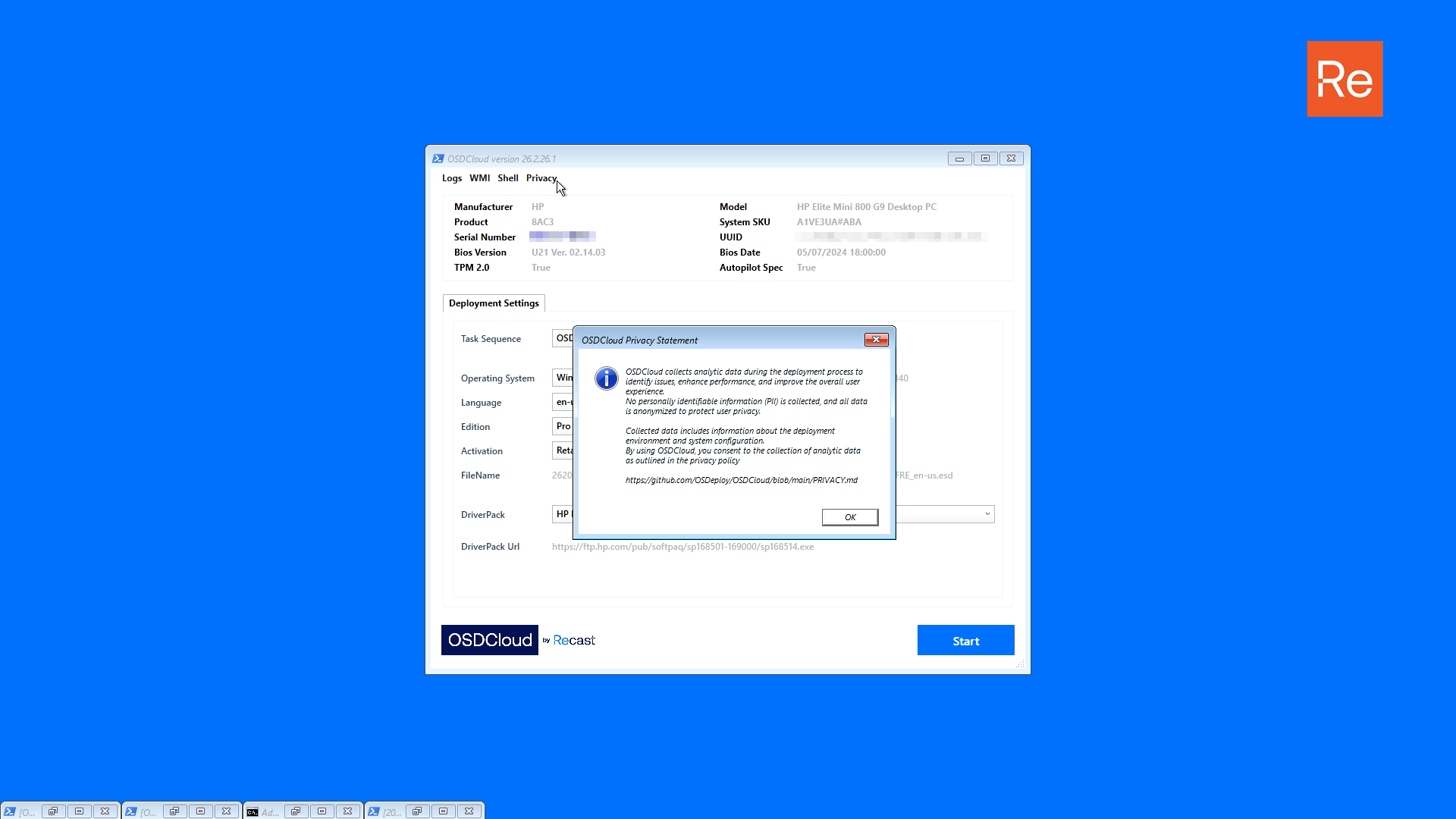
## Privacy (menu)
Current privacy information is displayed when accessing this item.
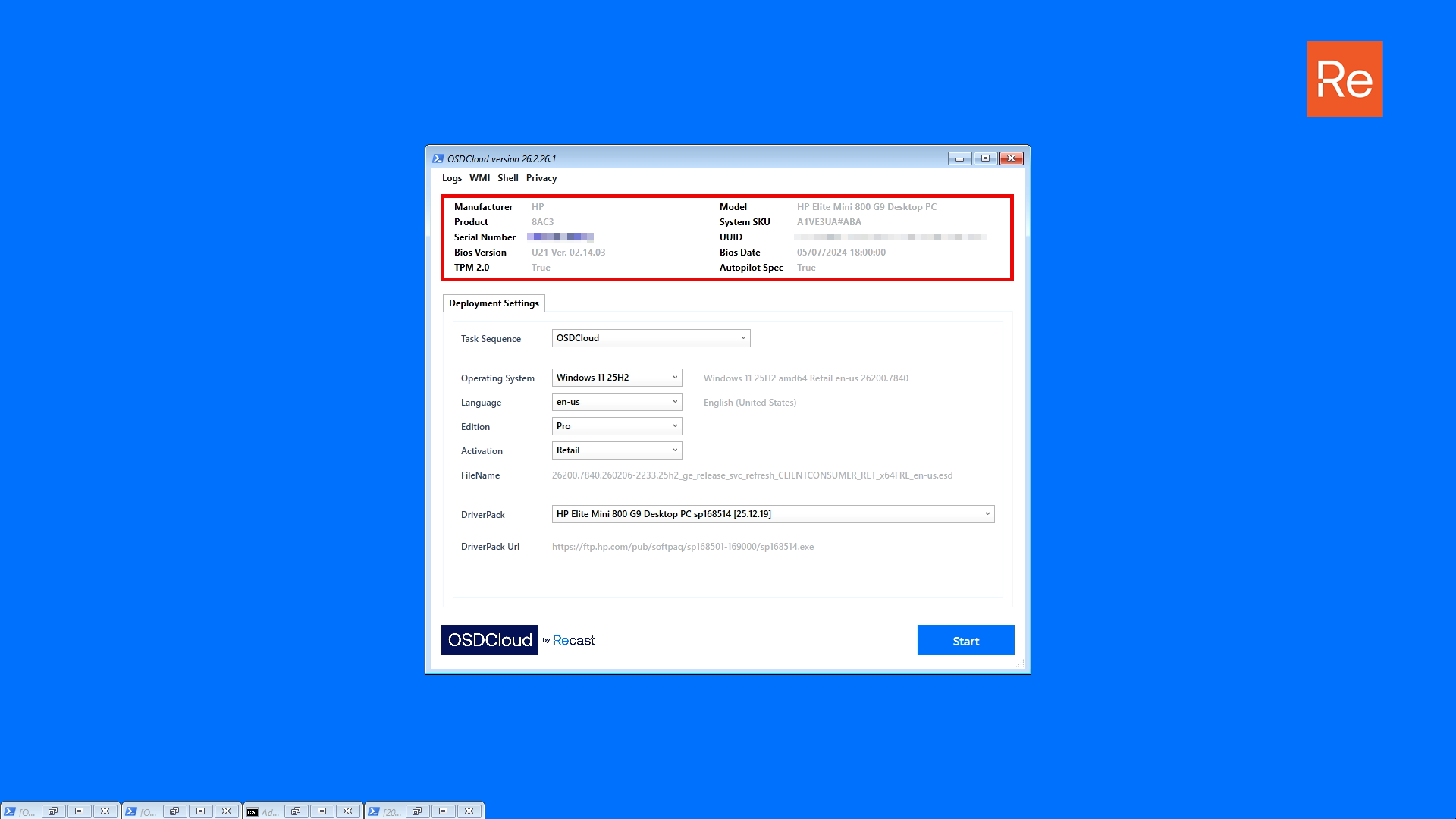
## Device Information
Information about your current device is displayed in the Device Information area.
* TPM 2.0
* \[Boolean] if the device supports 2.0
* Autopilot Spec
* \[Boolean] if the device supports Autopilot
## Deployment Settings
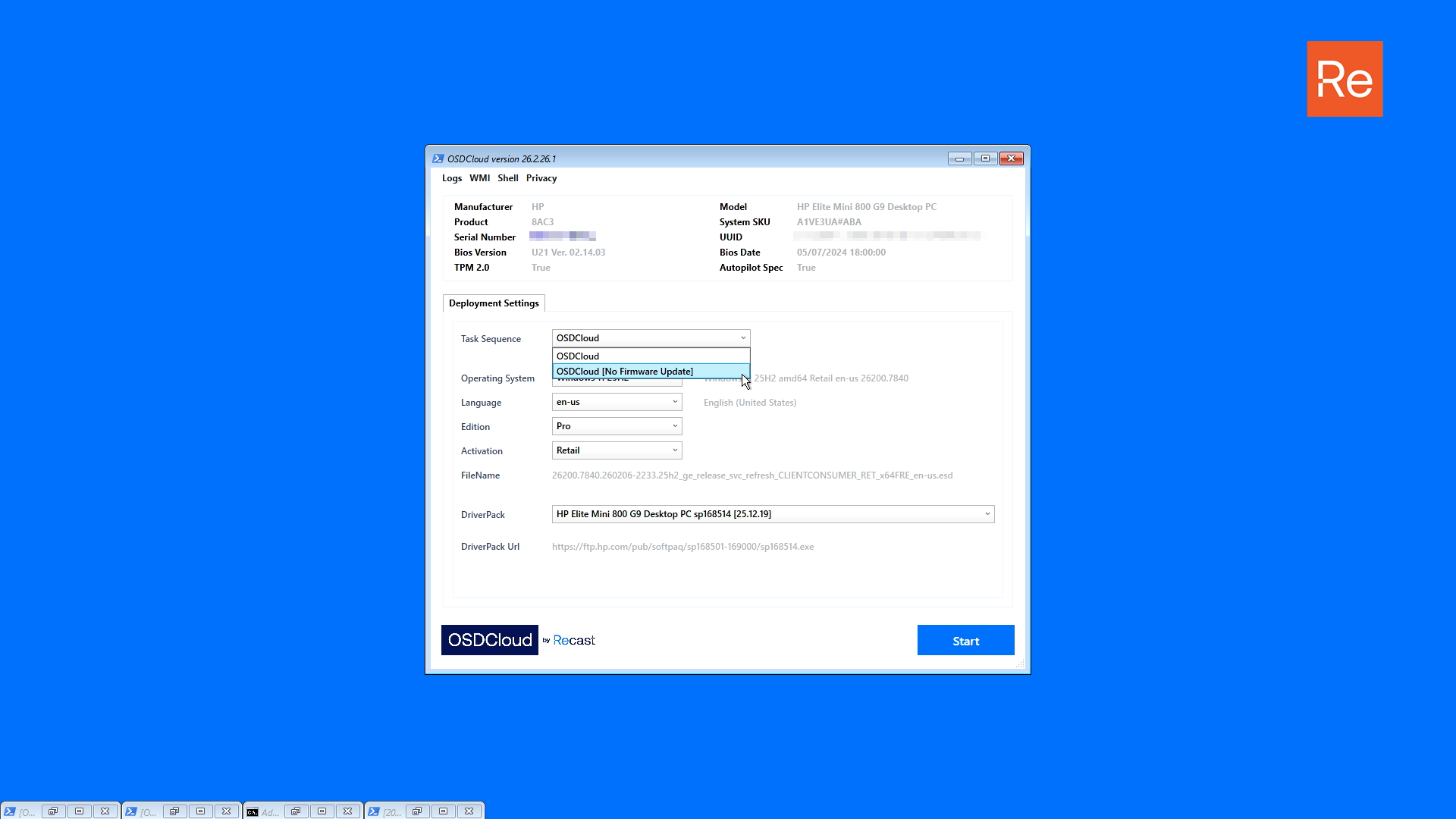
### Task Sequence
OSDCloud executes a deployment based on a defined Task Sequence. More will be added over time as feedback and requirements permit. The default should always be named `OSDCloud`.
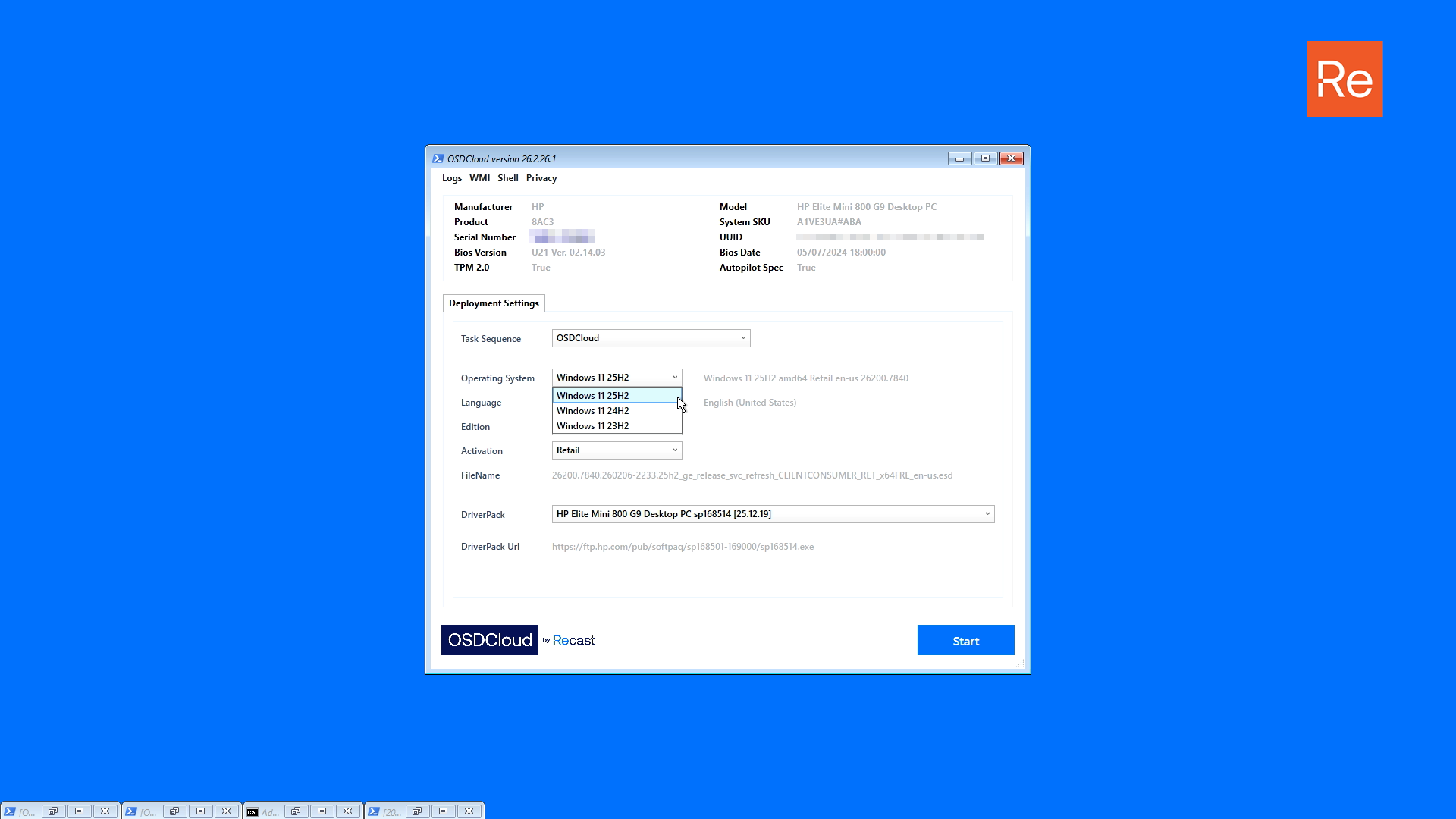
### Operating System
Operating Systems are defined with a Version (ReleaseId). Changing an Operating System will reflect a change in the text area to the right, which reflects the current selection including Language, Edition, and Activation options)
Windows 11 Versions are removed when Microsoft no longer defines them as General Availability Channel in the following article.
{% embed url="" %}
There are no plans to support Windows 11 26H1 as Microsoft has not made this version available for wide distribution.
{% hint style="info" %}
The default is the latest available operating system, currently Windows 11 25H2
{% endhint %}
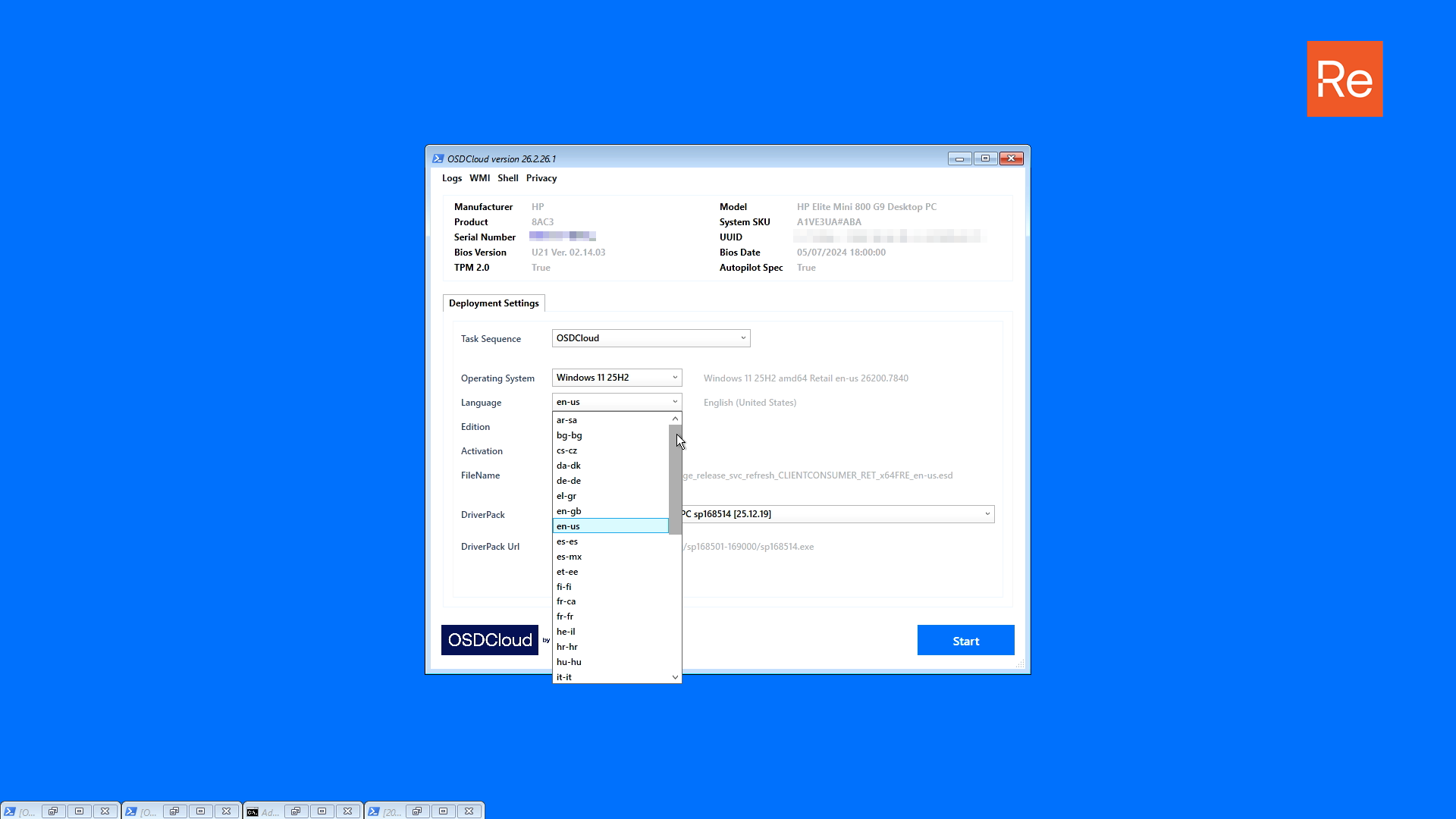
### Language
A Language Code can be selected from this option. The Language name is displayed to the right of this option. Changing the Language Code will reflect a change in the Operating System text area.
{% hint style="info" %}
The default Language is en-us English (United States)
{% endhint %}
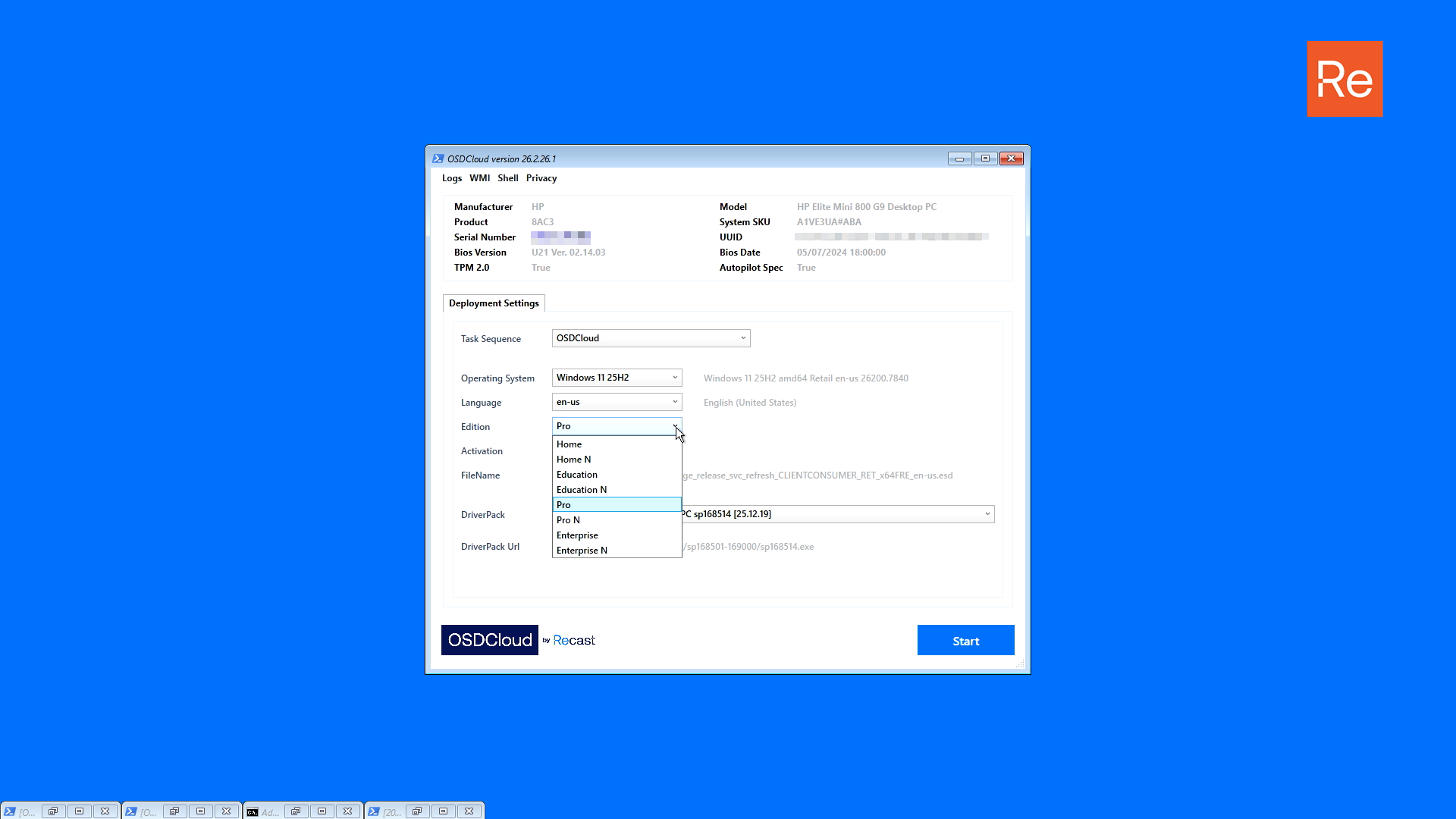
### Edition
An Edition can be selected from the available options. LTCS and IOT Editions are not supported by OSDCloud.
{% hint style="info" %}
The default edition is Pro
{% endhint %}
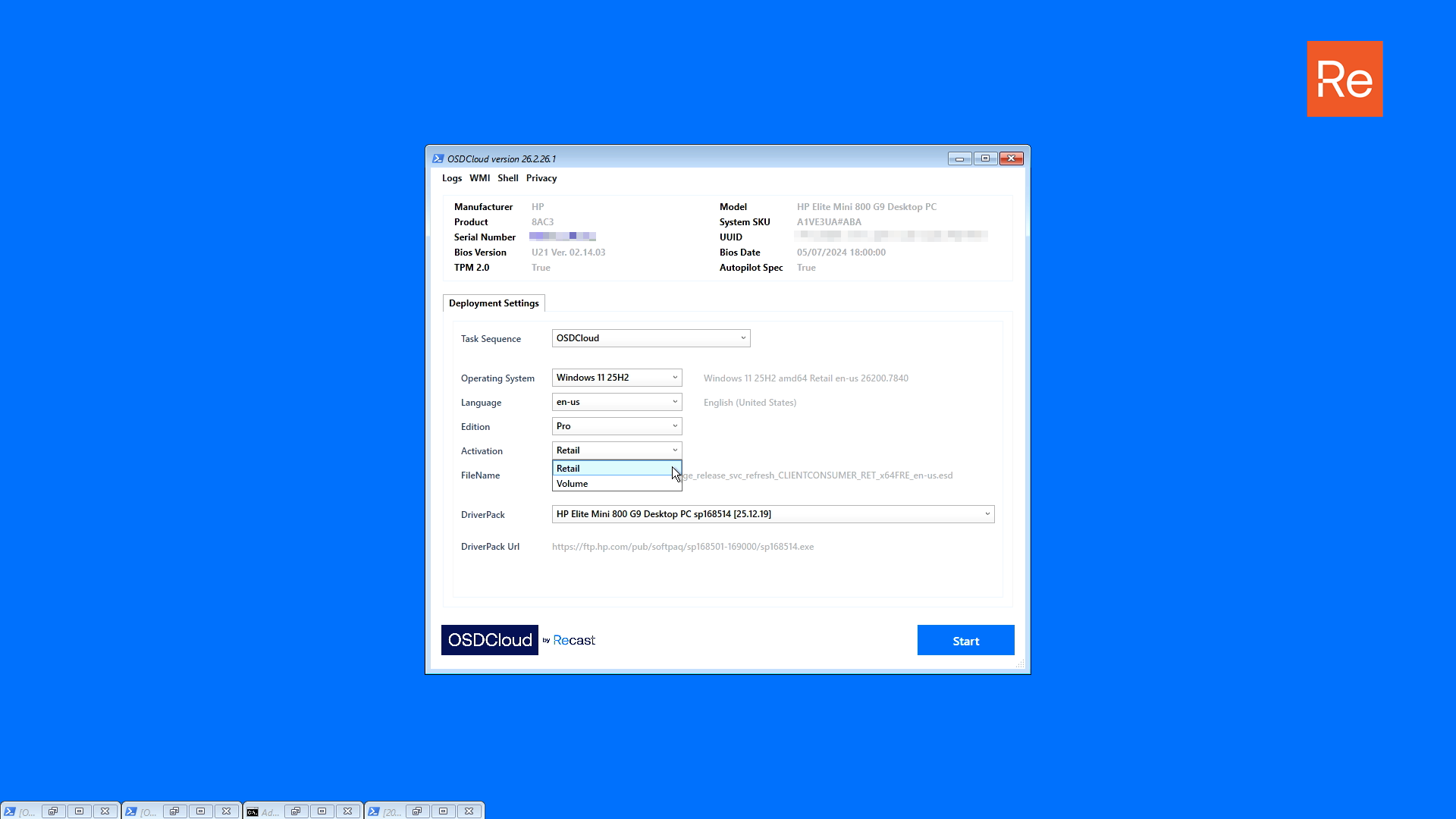
### Activation
Retail or Volume can be selected, based on the selected Edition. Changing the Activation will reflect a change in the Operating System text area.
{% hint style="info" %}
The default Windows Activation is Retail
{% endhint %}
### FileName
As Operating System options are set, the final Microsoft ESD FileName will be set. Information in this file contain information about the Build, Version, Activation, Architecture, and Language.
{% hint style="info" %}
OSDCloud updates the Build as available by Microsoft, so this FileName may change monthly
{% endhint %}
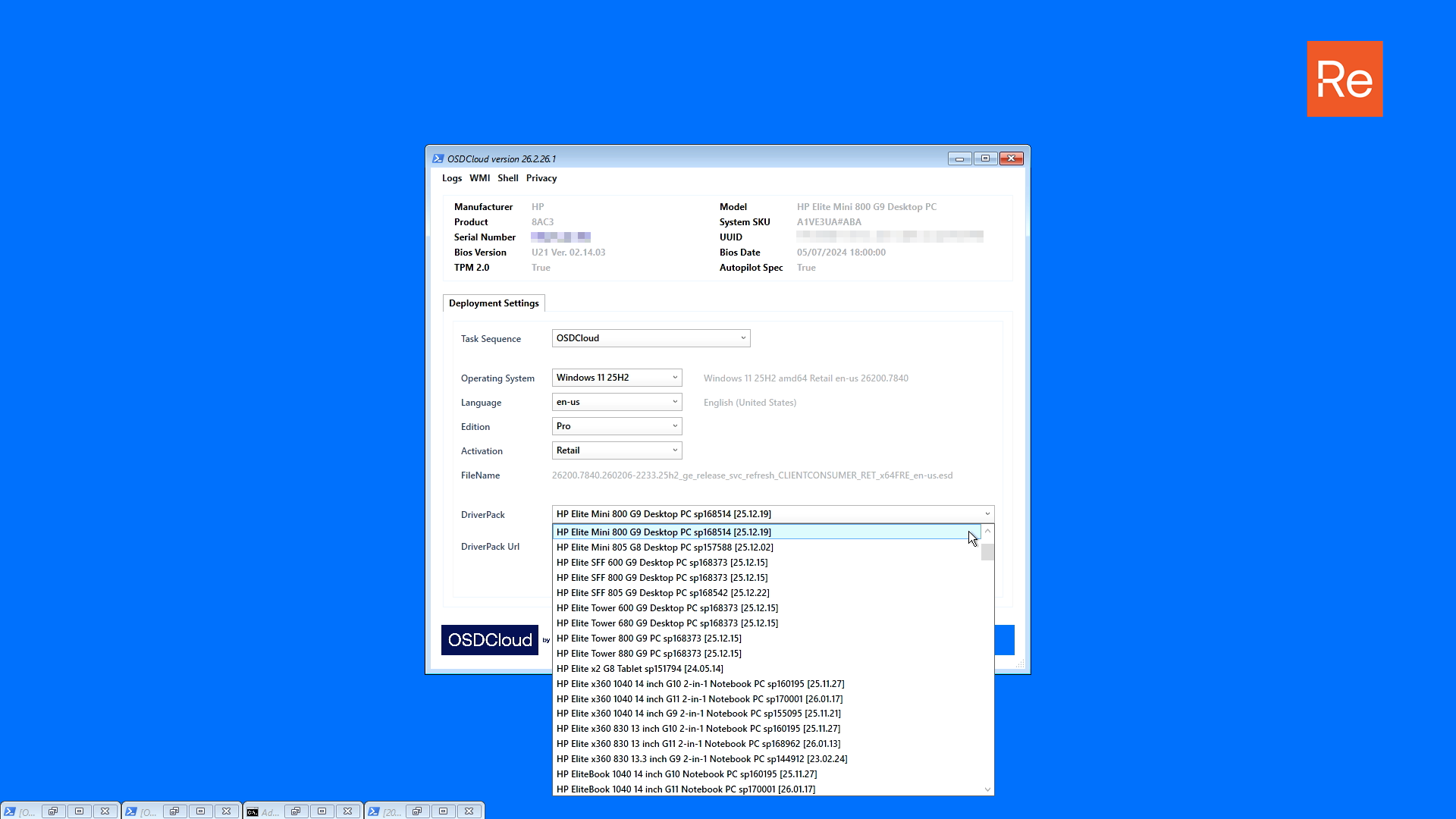
### DriverPack
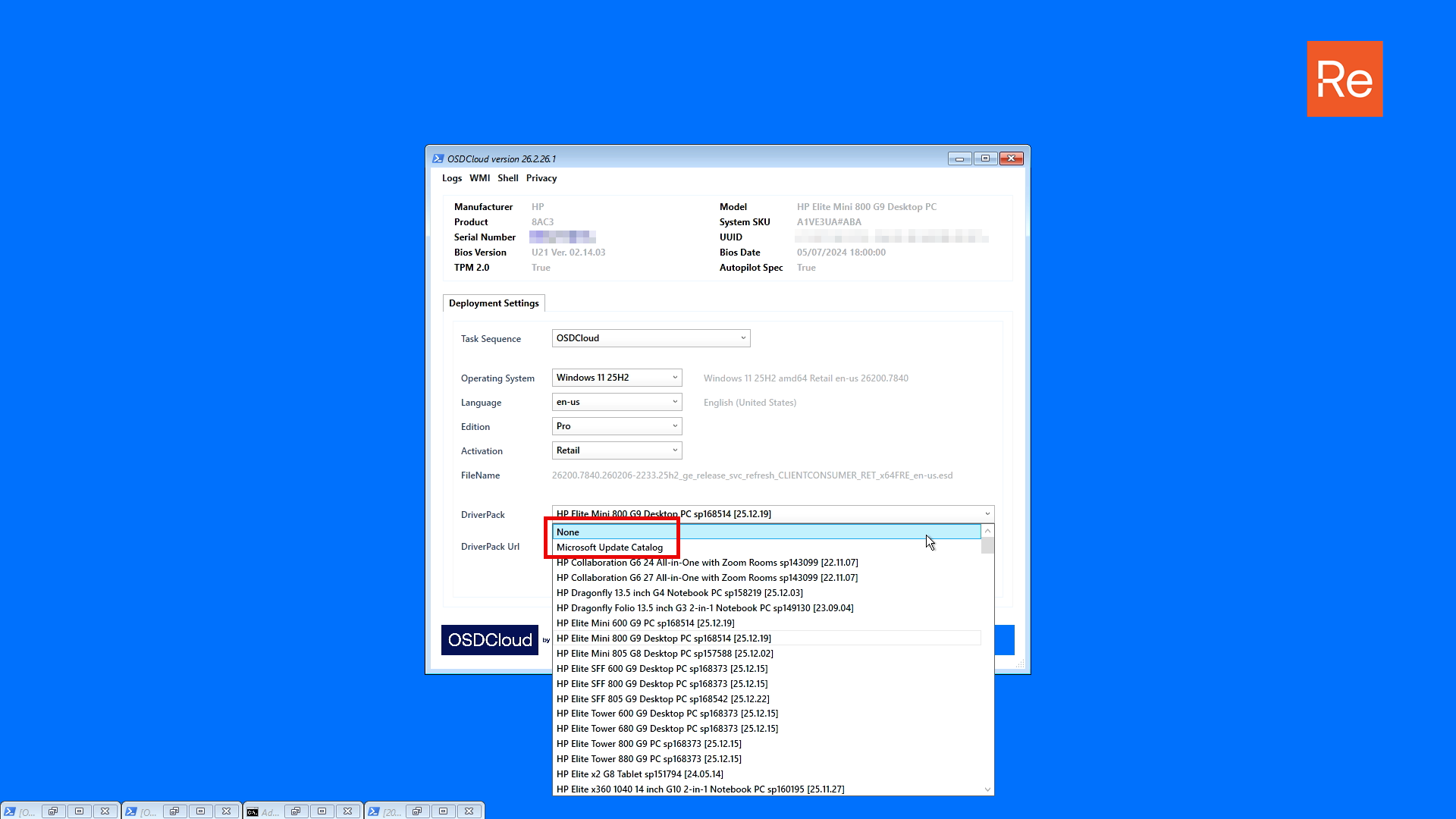
A compatible DriverPack is automatically selected based on the device information. If a DriverPack is automatically selected, it is an OEM defined match, regardless of the name displayed. Additional information may be displayed in the DriverPack name, such as the DriverPack id and the release date.
OEMs typically do not update DriverPacks after the first 2 years of a model release. We do not recommend installing an old DriverPack.
{% hint style="warning" %}
OSDCloud does not control the content or the results of a selected DriverPack. If a DriverPack is problematic, we can take steps to remove the publication in OSDCloud as a remediation. If you experience issues or are concerned about the age of the DriverPack, you have the option to select None or Microsoft Update Catalog
{% endhint %}
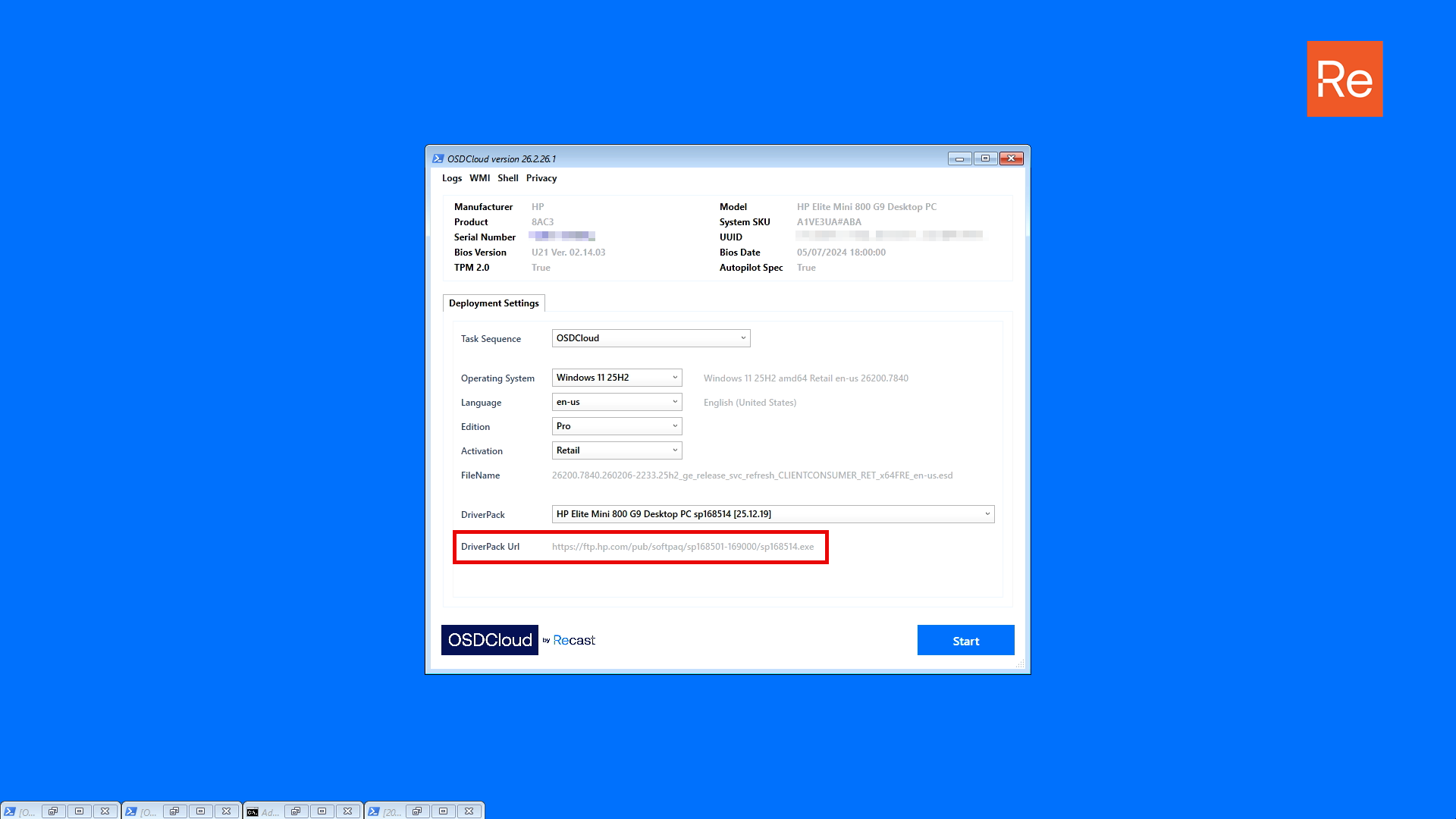
### DriverPack Url
A url for the selected DriverPack is displayed for review.
### Start
Press the Start button to begin the Windows 11 deployment using OSDCloud.
---
# Agent Instructions
This documentation is published with GitBook. GitBook is the documentation platform designed so that both humans and AI agents can read, navigate, and reason over technical content effectively. Learn more at gitbook.com.
## Querying This Documentation
If you need additional information that is not directly available in this page, you can query the documentation dynamically by asking a question.
Perform an HTTP GET request on the current page URL with the `ask` query parameter, and the optional `goal` query parameter:
```
GET https://www.osdcloud.com/osdcloud-guides/deploy-osdcloud-overview.md?ask=&goal=
```
`ask` is the immediate question: it should be specific, self-contained, and written in natural language.
`goal` is optional and describes the broader end goal you are ultimately trying to accomplish on behalf of the user. GitBook uses it to tailor the answer towards what is most useful for that goal.
The response will contain a direct answer to the question and relevant excerpts and sources from the documentation.
Use this mechanism when the answer is not explicitly present in the current page, you need clarification or additional context, or you want to retrieve related documentation sections.