# MDT: Add OSDCloud WinPE Drivers

You can add WinPE Drivers to MDT using **Import-OSDCloudWinPEDriverMDT**.  This function can automatically import the following Manufacturer drivers into MDT

* Dell
* HP
* Lenovo
* Microsoft Surface
* Nutanix
* VMware

Additionally, the following Hardware Drivers can also be added

* Intel Ethernet
* Intel Wireless (Requires WinPE created with WinRE)
* Generic USB
* by HardwareID (Microsoft Catalog)

{% hint style="success" %}
Its a good idea to update your WinPE Drivers from time to time to ensure you have the latest. Simply delete the **OSDCloud WinPE x64** folder from **Out-of-Box Drivers** and repeat this process
{% endhint %}

## Import HP Drivers

In this example, I'll import the HP WinPE DriverPack using the following command

```powershell
Import-OSDCloudWinPEDriverMDT -Driver HP
```

This will download the current HP Client Windows PE 10 x64 Driver Pack, expand the contents, and add it to Out-of-Box Drivers

<figure><img src="https://344220114-files.gitbook.io/~/files/v0/b/gitbook-x-prod.appspot.com/o/spaces%2F-MVSV22dcsjKDdOxDA6n%2Fuploads%2FYSZNKJUPwppNcbyLoZcb%2Fimage.png?alt=media&#x26;token=3d1665b9-1bdc-4d33-a225-612c337fd932" alt=""><figcaption><p>Import-OSDCloudWinPEDriverMDT -Driver HP</p></figcaption></figure>

## Import All Drivers

In this example, I'll import all available Drivers to MDT using the following command

```powershell
Import-OSDCloudWinPEDriverMDT -Driver *
```

<figure><img src="https://344220114-files.gitbook.io/~/files/v0/b/gitbook-x-prod.appspot.com/o/spaces%2F-MVSV22dcsjKDdOxDA6n%2Fuploads%2FrKuzHKyN08q6H8Dz5bq0%2Fimage.png?alt=media&#x26;token=7179a00d-cacc-47cf-a013-f1f7670e57ec" alt=""><figcaption><p>Import-OSDCloudWinPEDriverMDT -Driver *</p></figcaption></figure>

## Import a Driver by HardwareID

You can also import an individual Driver by using a simiar command line to the example below

```powershell
Import-OSDCloudWinPEDriverMDT -DriverHWID 'VEN_10EC&DEV_5261'
```

<figure><img src="https://344220114-files.gitbook.io/~/files/v0/b/gitbook-x-prod.appspot.com/o/spaces%2F-MVSV22dcsjKDdOxDA6n%2Fuploads%2Fezc4T1le5IWsuM7XkxVR%2Fimage.png?alt=media&#x26;token=747ae574-266b-49a9-82c6-f8fe0a094850" alt=""><figcaption><p>Import-OSDCloudWinPEDriverMDT -DriverHWID 'VEN_10EC&#x26;DEV_5261'</p></figcaption></figure>

## Out-of-Box Drivers

Drivers will be added to Out-of-Box Drivers automatically in a folder called OSDCloud WinPE x64

<figure><img src="https://344220114-files.gitbook.io/~/files/v0/b/gitbook-x-prod.appspot.com/o/spaces%2F-MVSV22dcsjKDdOxDA6n%2Fuploads%2FDED1k7oZKfrjybyNbQMP%2Fimage.png?alt=media&#x26;token=8270fc33-b5d7-42e2-af6c-e75b7d179faa" alt=""><figcaption></figcaption></figure>

## Selection Profile

A new Selection Profile named **OSDCloud WinPE x64** will be created containing all the Drivers

<figure><img src="https://344220114-files.gitbook.io/~/files/v0/b/gitbook-x-prod.appspot.com/o/spaces%2F-MVSV22dcsjKDdOxDA6n%2Fuploads%2F0RW2KWqeU8RpMkTZJMsB%2Fimage.png?alt=media&#x26;token=13c18b2a-fce0-494b-9c54-4275596b6d7e" alt=""><figcaption></figcaption></figure>

## Deployment Share Update

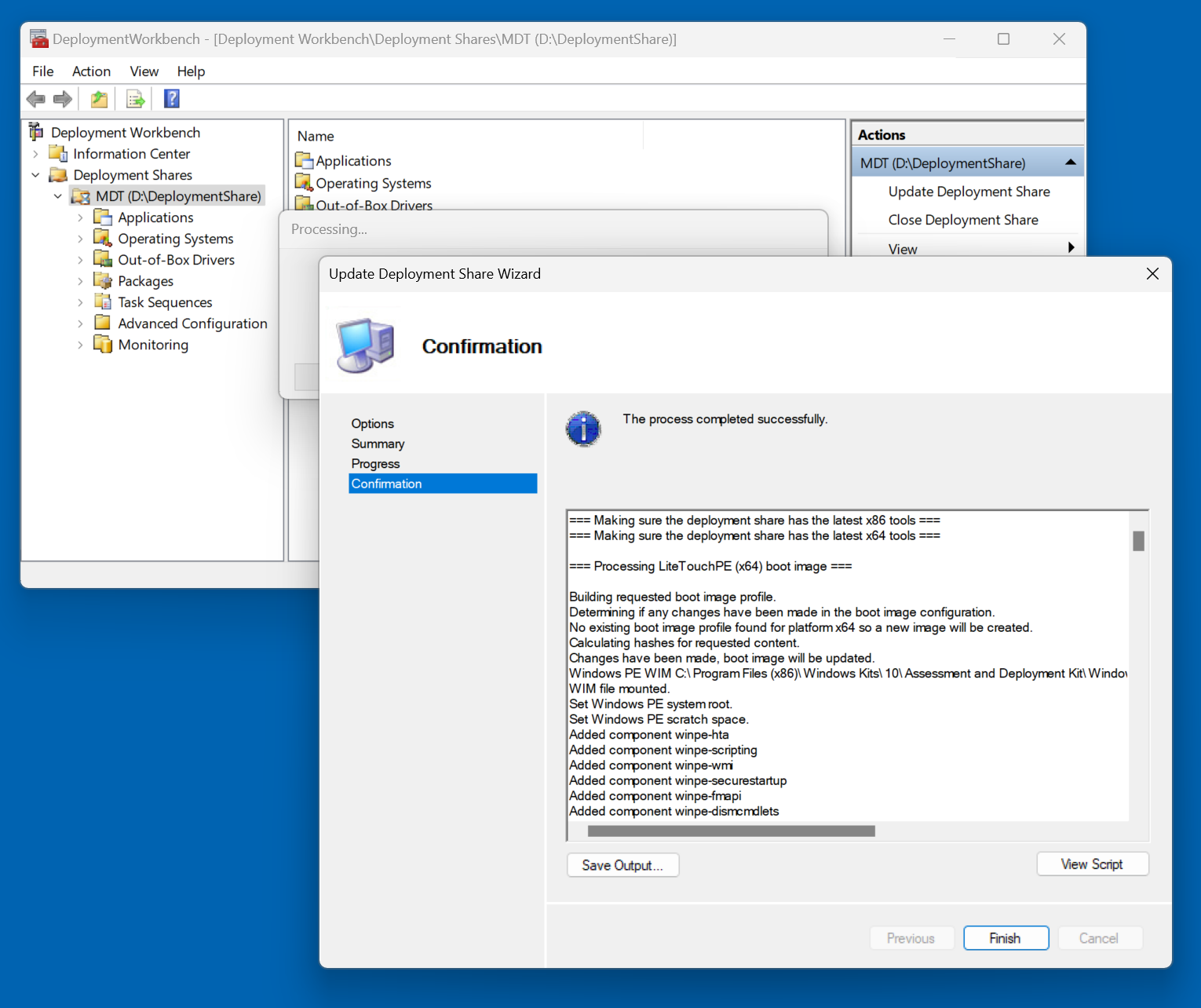
Now is a good time to set your WinPE **Selection Profile** in your MDT Deployment Share properties to **OSDCloud WinPE x64**.  Once this is complete, you can **Update Deployment Share** to add the WinPE Drivers to your Boot Image

<div><figure><img src="https://344220114-files.gitbook.io/~/files/v0/b/gitbook-x-prod.appspot.com/o/spaces%2F-MVSV22dcsjKDdOxDA6n%2Fuploads%2FvhbiZrwJCEPGu1udNHtI%2Fimage.png?alt=media&#x26;token=3961d352-caf5-4f9b-b152-529bb44fab9e" alt=""><figcaption><p>Include all drivers from the selection profile</p></figcaption></figure> <figure><img src="https://344220114-files.gitbook.io/~/files/v0/b/gitbook-x-prod.appspot.com/o/spaces%2F-MVSV22dcsjKDdOxDA6n%2Fuploads%2F8aQ91UZSF4RdeNzRir6x%2Fimage.png?alt=media&#x26;token=f8390dd0-a619-4f98-8653-d69bc5378aee" alt=""><figcaption><p>Update Deployment Share</p></figcaption></figure> <figure><img src="https://344220114-files.gitbook.io/~/files/v0/b/gitbook-x-prod.appspot.com/o/spaces%2F-MVSV22dcsjKDdOxDA6n%2Fuploads%2FARuyTwMSiPEF5LAmNv3f%2Fimage.png?alt=media&#x26;token=a62404ee-d6e2-41d1-8177-32f268875283" alt=""><figcaption><p>Completely regenerate the boot images</p></figcaption></figure> <figure><img src="https://344220114-files.gitbook.io/~/files/v0/b/gitbook-x-prod.appspot.com/o/spaces%2F-MVSV22dcsjKDdOxDA6n%2Fuploads%2FAcw9rFOpzMZrfKQzs1zG%2Fimage.png?alt=media&#x26;token=cfe523ac-8640-4d44-9161-60971cd9ab71" alt=""><figcaption></figcaption></figure> <figure><img src="https://344220114-files.gitbook.io/~/files/v0/b/gitbook-x-prod.appspot.com/o/spaces%2F-MVSV22dcsjKDdOxDA6n%2Fuploads%2FiUZnOFS0RHXIP6dkArTD%2Fimage.png?alt=media&#x26;token=4bc5c5fb-8619-46b1-bdd0-16e0e59996b4" alt=""><figcaption></figcaption></figure></div>