> For the complete documentation index, see [llms.txt](https://www.osdcloud.com/llms.txt). Markdown versions of documentation pages are available by appending `.md` to page URLs; this page is available as [Markdown](https://www.osdcloud.com/osdcloud-v1/osdcloud-automate/basic-configuration.md).
# Basic Configuration
OSD 23.5.23.1+ Updated May 23, 2023
## Create a new OSDCloud Workspace
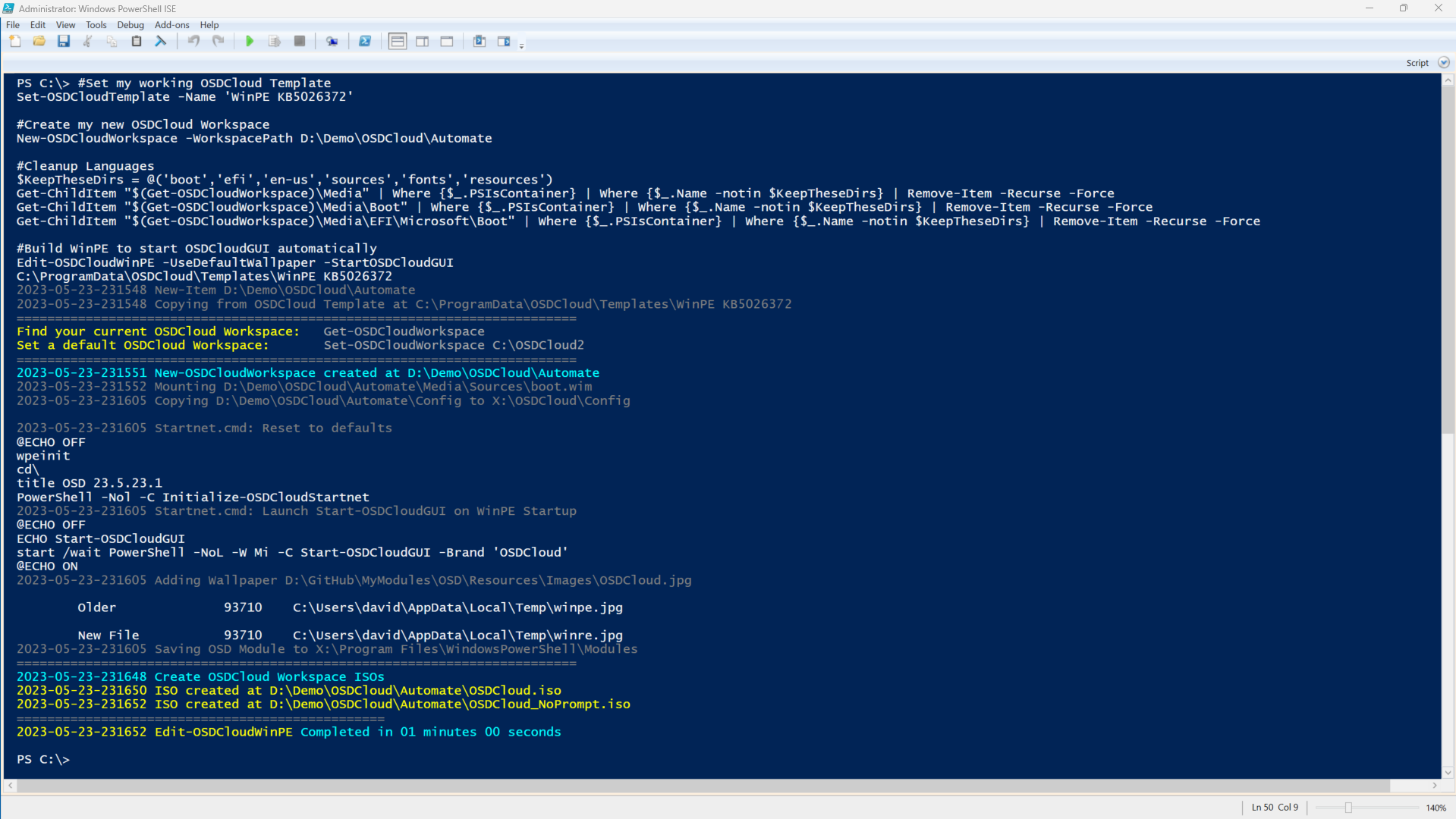
For this demo, I decided to create a new OSDCloud Workspace for testing. You can use your existing OSDCloud Workspace, but it's easier if I start clean. Here's the script that I used
{% code overflow="wrap" lineNumbers="true" fullWidth="true" %}
```powershell
#Set my working OSDCloud Template
Set-OSDCloudTemplate -Name 'WinPE KB5026372'
#Create my new OSDCloud Workspace
New-OSDCloudWorkspace -WorkspacePath D:\Demo\OSDCloud\Automate
#Cleanup Languages
$KeepTheseDirs = @('boot','efi','en-us','sources','fonts','resources')
Get-ChildItem "$(Get-OSDCloudWorkspace)\Media" | Where {$_.PSIsContainer} | Where {$_.Name -notin $KeepTheseDirs} | Remove-Item -Recurse -Force
Get-ChildItem "$(Get-OSDCloudWorkspace)\Media\Boot" | Where {$_.PSIsContainer} | Where {$_.Name -notin $KeepTheseDirs} | Remove-Item -Recurse -Force
Get-ChildItem "$(Get-OSDCloudWorkspace)\Media\EFI\Microsoft\Boot" | Where {$_.PSIsContainer} | Where {$_.Name -notin $KeepTheseDirs} | Remove-Item -Recurse -Force
#Build WinPE to start OSDCloudGUI automatically
Edit-OSDCloudWinPE -UseDefaultWallpaper -StartOSDCloudGUI
```
{% endcode %}
## Automate Paths
OSDCloud Automate looks for content in the following relative path by scanning all drives. It does not include C:\\
```
:\OSDCloud\Automate
```
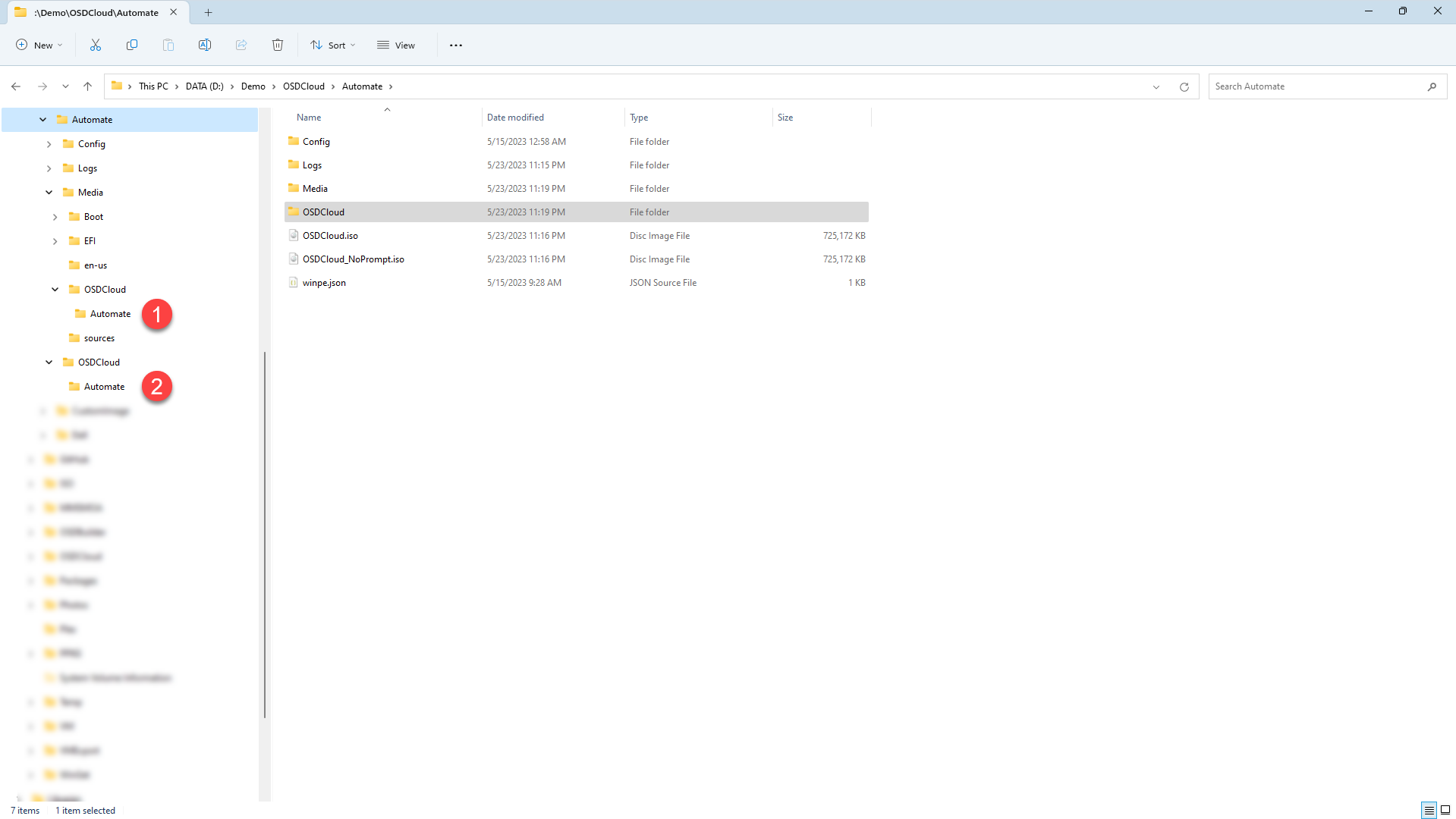
Understanding that requirement, there are two places that I can use this in my OSDCloud Workspace
```
#Content will be on the ISO or USB Boot Partition
#Ideal for Virtual Machine testing
$(Get-OSDCloudWorkspace)\Media\OSDCloud\Automate
#Content will be on the USB Drive
#Ideal for Physical Machine testing
$(Get-OSDCloudWorkspace)\OSDCloud\Automate
```
A third option would be to mount my WinPE and add an OSDCloud\Automate directory so it resolves to X:\OSDCloud\Automate. This would be ideal for WDS, but that solution isn't covered in this guide
Finally, keep in mind that if you plan on having large Provisioning Packages, your WinPE Boot Partition on a USB may not be large enough for the PPKG file. Got it?
---
# Agent Instructions
This documentation is published with GitBook. GitBook is the documentation platform designed so that both humans and AI agents can read, navigate, and reason over technical content effectively. Learn more at gitbook.com.
## Querying This Documentation
If you need additional information that is not directly available in this page, you can query the documentation dynamically by asking a question.
Perform an HTTP GET request on the current page URL with the `ask` query parameter, and the optional `goal` query parameter:
```
GET https://www.osdcloud.com/osdcloud-v1/osdcloud-automate/basic-configuration.md?ask=&goal=
```
`ask` is the immediate question: it should be specific, self-contained, and written in natural language.
`goal` is optional and describes the broader end goal you are ultimately trying to accomplish on behalf of the user. GitBook uses it to tailor the answer towards what is most useful for that goal.
The response will contain a direct answer to the question and relevant excerpts and sources from the documentation.
Use this mechanism when the answer is not explicitly present in the current page, you need clarification or additional context, or you want to retrieve related documentation sections.